Disclaimer: The repair procedure I present in this post is inspired by the official service manual and renowned repair articles but mainly reflects my own experience. The description may be incomplete and might even contain errors. Consider that I am just a self-taught hobbyist, not a trained professional. Copy this procedure at your own risk! Also, consider that any attempt to disassemble and repair a camera carries a certain risk to worsen its condition or to even breaking it completely.
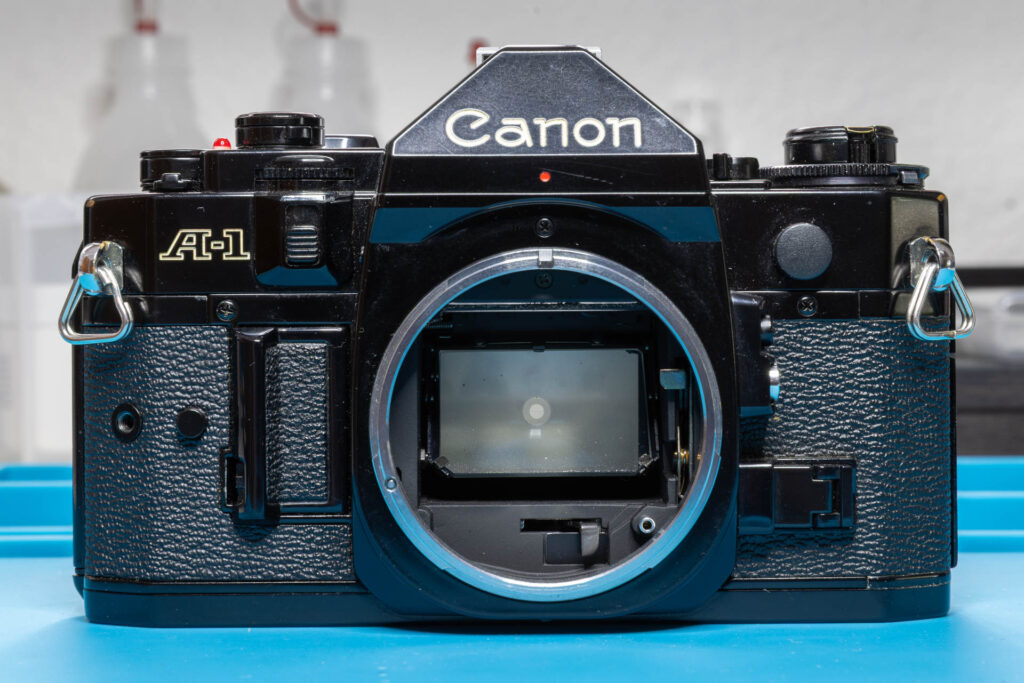
You may have heard the terms “Canon cough”, “Canon squeak”, “Canon squeal”, or “Canon asthma” before. All describe the same acoustic phenomenon: a strange noise that may occur when you take a photo with your Canon A-1 (or another Canon A-series camera). In this post, I explain how to fix this problem the proper way.
What Does the Canon Cough Sound Like?
Depending on how severe the problem is, the “Canon cough” might sound a bit different from camera to camera. This is how it sounded on one of my cameras before fixing it:
What Is Making the Canon Cough Noise?
The noise occurs when you press the shutter button to take a photo. It is neither made by the shutter nor the mirror itself but by an inertia governor that is used to dampen / slow down the movement of the mirror. An inertia governor is a special form of speed limiter based on a gear train with a low gear ratio and a flywheel as last element. The inertia governor of the mirror of the Canon A-1 is located on the mirror-control unit (at the right side of the mirror box).
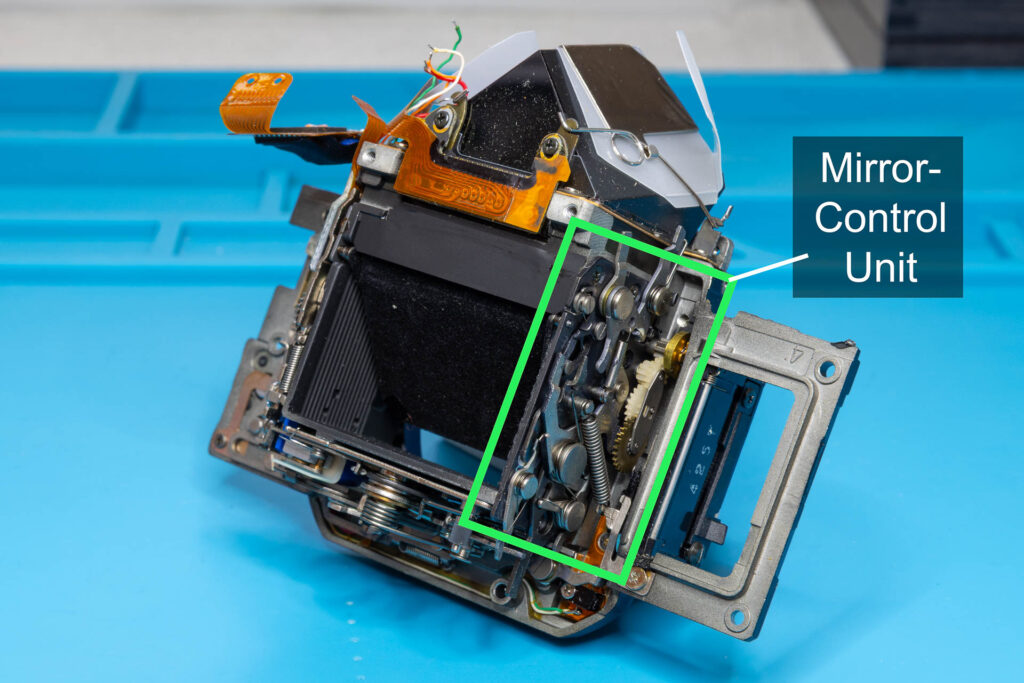
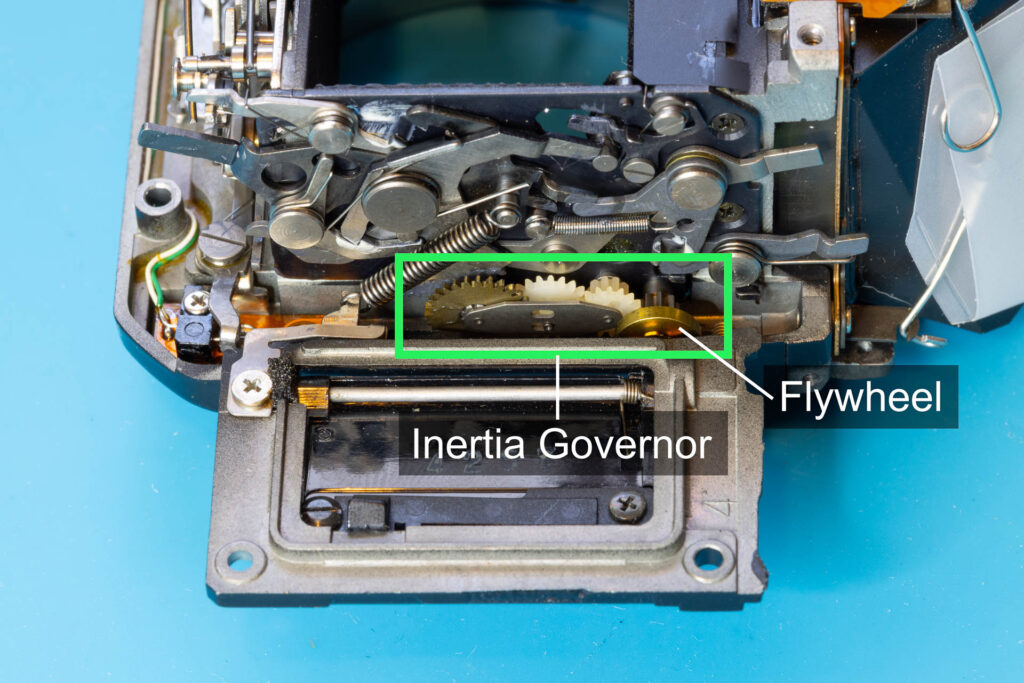
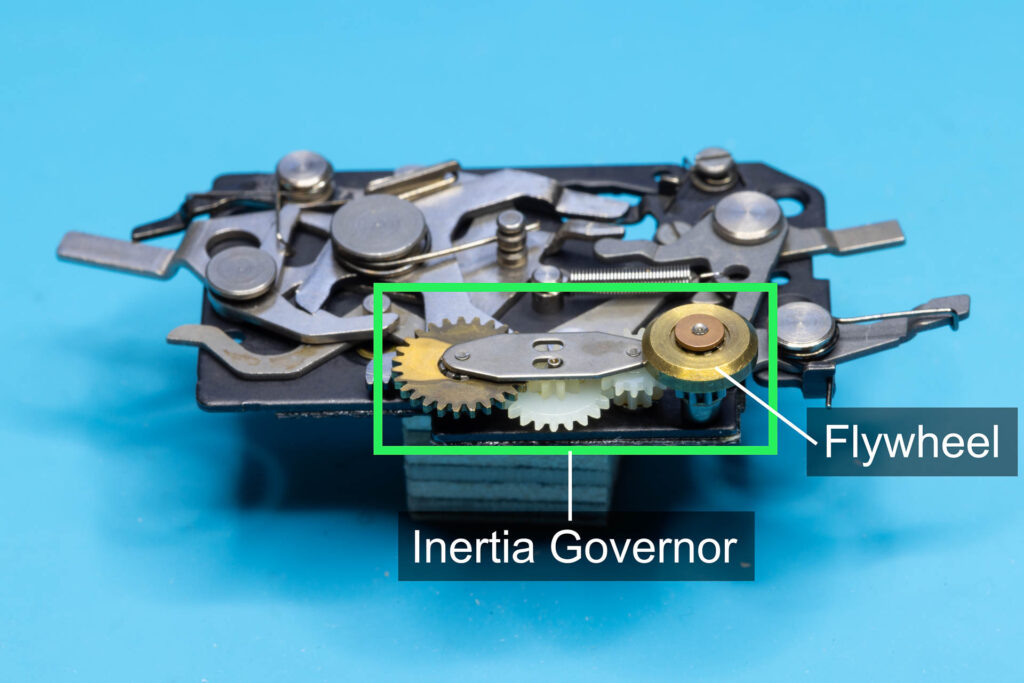
When you press the shutter button, the mirror-lifting lever lifts the mirror and, at the same time, drives the inertia governor via a toothed arm. The inertia governor dampens the upward movement of the mirror until it reaches its upper position. According to the service manual, the upward movement of the mirror takes about 55msec. In this time, the flywheel of the inertia governor makes about 6 revolutions. That is, the flywheel reaches a rotational speed of at least 6.000 rpm. At this speed, good lubrication of the flywheel is essential. Over the decades of the camera’s existence, the lubrication dries out. This can result in one of the following symptoms:
- If the flywheel is still partially lubricated, it will make the typical “Canon cough” noise. This is caused by the increased friction. However, the movement of the mirror is only slightly slowed down and the shutter lag only slightly higher than normal. You can still use the camera without any significant problems (if you can stand the noise).
- If there is hardly any lubrication left, the noise gets louder / more annoying and the movement of the mirror is slowed down significantly. The shutter lag increases significantly and it becomes almost impossible to use the camera in situations where a fast reaction is required. The problem should be fixed short-term.
- If there is no lubrication left, the mirror is either stuck completely or does not reach its upper position. Therefore, the shutter is not released and you cannot take photos anymore. The problem must be fixed immediately.
In principle, the fix is simple: Just re-lubricate the flywheel. However, the tricky part is how to reach it.
How Not to Fix the Problem
One thing in advance: You are free to do whatever you want with your camera. You can also go the “quick&easy” but improper way to fix the “Canon cough” that is often propagated on the Internet. However, if the camera belongs to another person or you want to sell it after the repair it would be fair to not use a fix that can do more harm than good in the long run.
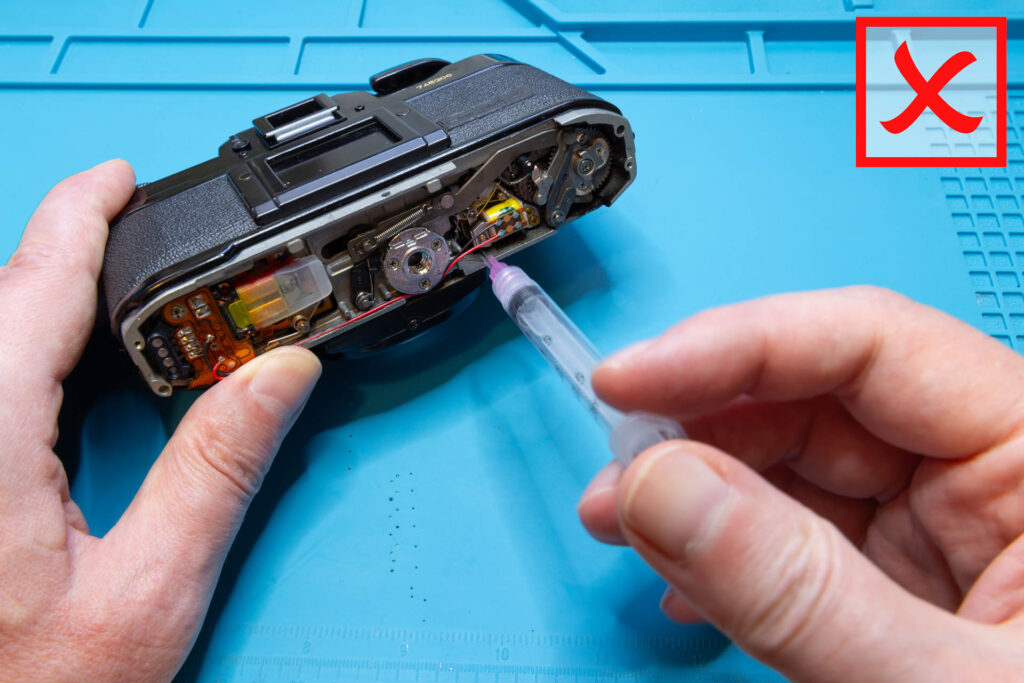
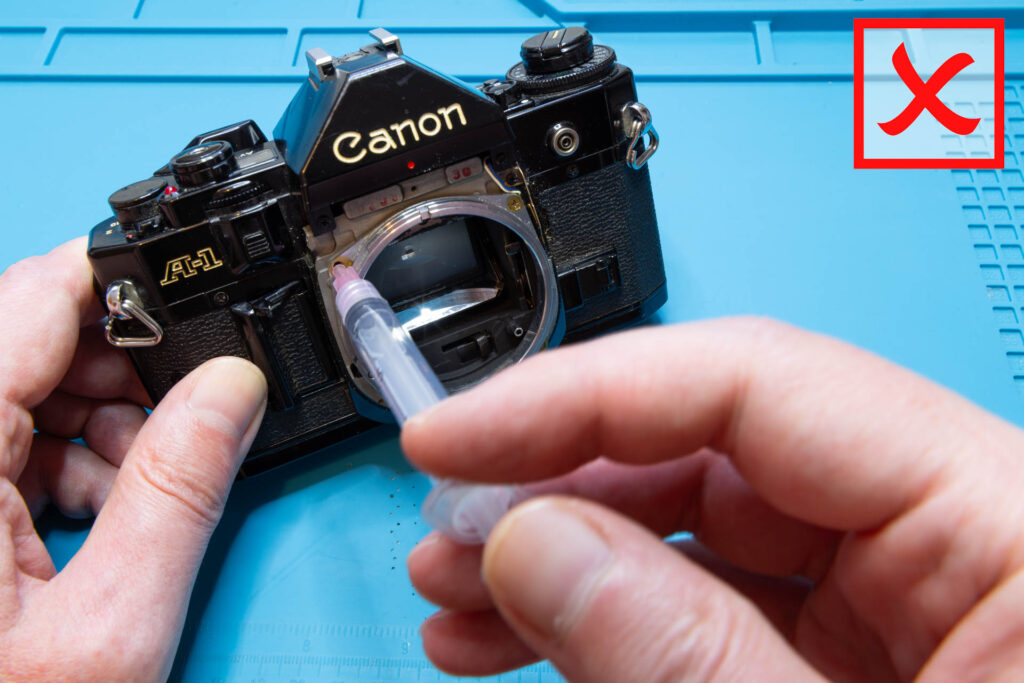
What is the improper way? A fix where you do not remove the mirror box first but just apply oil with a syringe, either through the bottom of the camera or a screw hole on the front. The problems of such fixes are:
- Since you cannot see the flywheel, you apply the oil blindly. It is pure luck if you (a) hit the flywheel at all and (b) hit the place on the flywheel where the oil has to go.
- To solve the problem, you only need a tiny amount of oil, applied to the correct place. A syringe is not a good tool to apply such tiny amount.
- As a result, you might apply too much oil and apply it to the wrong place.
Granted, if you apply a lot of oil and flip/rotate the camera several times the oil may finally reach its destination and fix the “Canon cough”. However, the oil will not stop there and contaminate also the areas around. Finally, it might even reach the mirror, the prism, the magnets, or the shutter curtains.
How to Fix the Problem
Unfortunately, the proper way to fix the problem is significantly more complex and time-consuming than the “shortcuts” described above. It involves a partial diassembly of the camera, especially the removal of the mirror box, to reach the noisy flywheel. DIY is possible but only if you have sufficient skills to disassemble the camera. Otherwise, take the camera to a professional repair shop and let them fix the problem.
Preparation
First, follow the procedure described in this blog post to remove the top cover of the camera.
Then, follow the procedure described in this blog post to remove the mirror box of the camera.
Tools and Materials
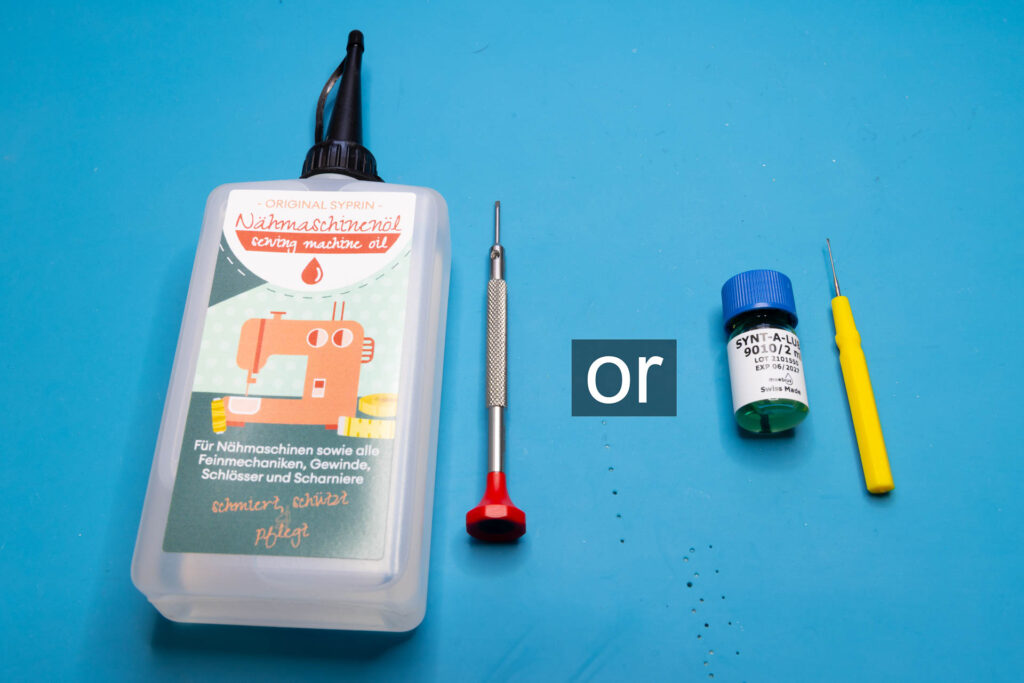
Beside the tools you need for the preparatory steps, you only need oil and some kind of “oiler” to fix the “Canon cough”:
- Oil
You should use a mineral / synthetic, acid-free oil with low to medium viscosity. It must not dissolve brass or the elements it consists of (copper, zinc). Doesn’t need to be expensive, good quality sewing machine oil is fine. Personally, I use Moebius 9010 watch oil but just because I have it anyway.
Don’t use vegetable / cooking oil, WD40, or Ballistol. - Oiler
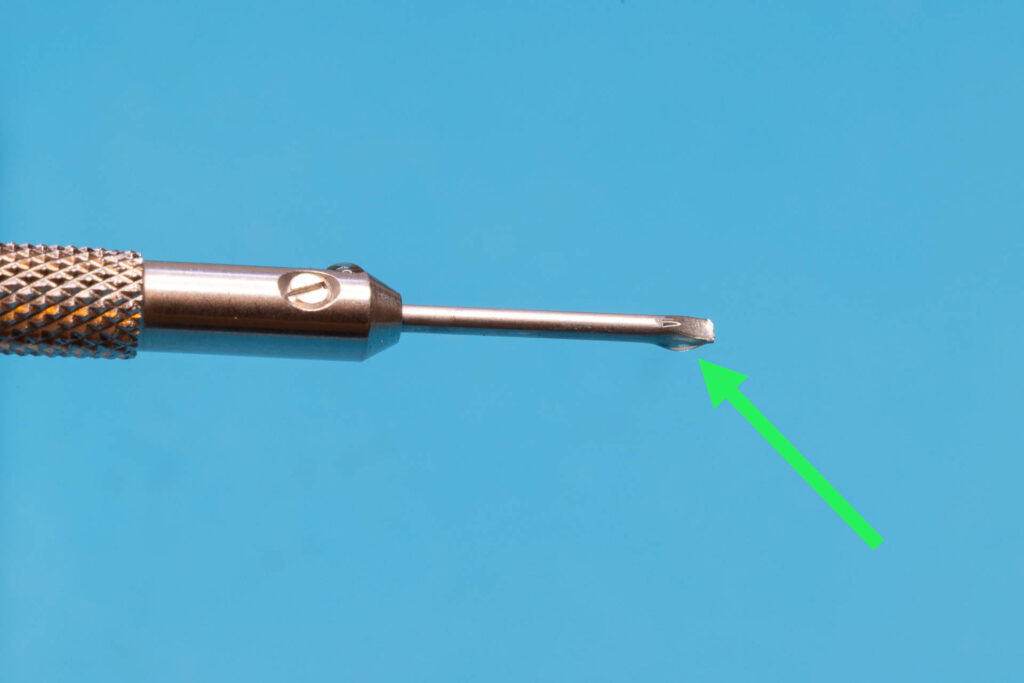
You can use a small flat-head screwdriver (blade width ≤ 2mm) or a special oiler for watchmakers to apply the oil. Personally, I use a 1.2mm watchmaker’s screwdriver.
Don’t use a syringe, it tends to overdose the amount of oil applied.
Step 1: Flip the Mirror Up
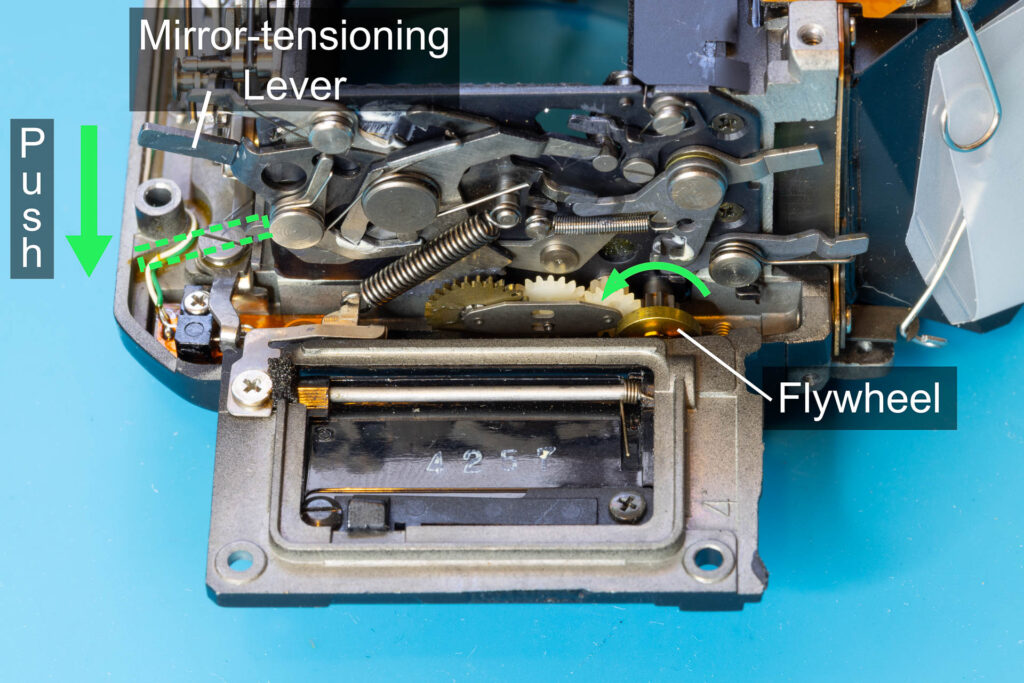
Push the mirror-tensioning lever of the mirror-operation unit towards the front of the mirror box to flip up the mirror. When you release the lever, it will return to its initial position. Subsequent pushes of the lever will move the mirror between its flip up and flip down (= initial) position. If you press the lever repeatedly in rapid succession you should hear the typical “Canon cough”, caused by the flywheel of the inertia governor.
Step 2: Apply Oil to the Flywheel
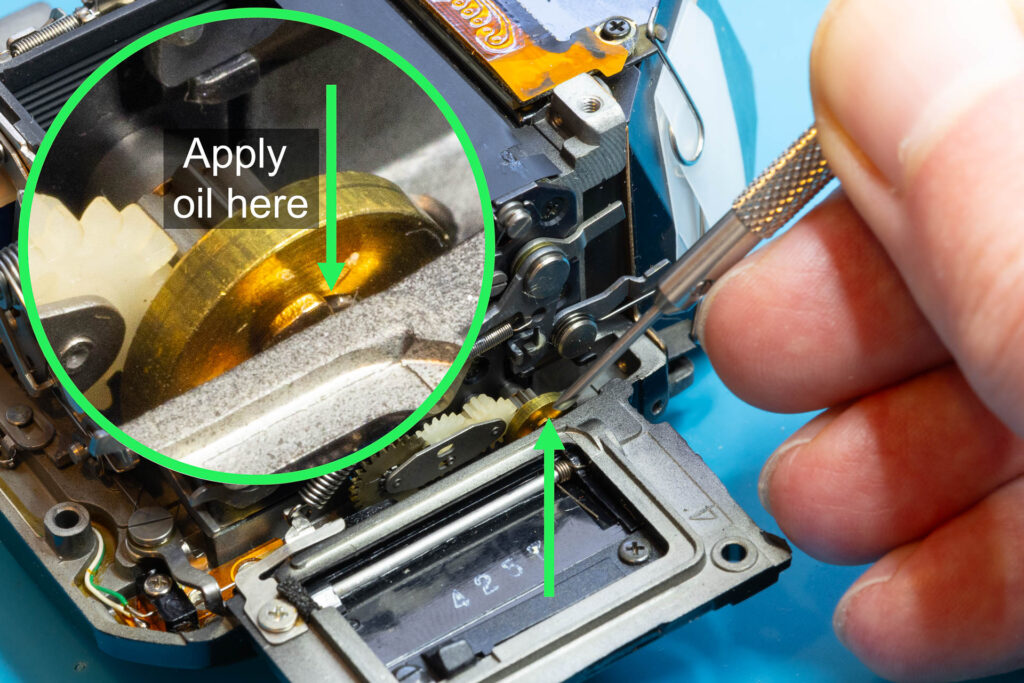
Apply a tiny drop of oil to the axle on the upper side of the flywheel. You should see that the oil is sucked into the bore. To apply the small amount of oil needed, don’t use a syringe but a small flat-head screwdriver or oiler that you dip into the oil. Often, the drop of oil that clings to the screwdriver/oiler is already sufficient to fix the “Canon cough”.
Step 3: Flip the Mirror Up and Down
Use the mirror-tensioning lever to flip the mirror up and down repeatedly, as done in Step 1. This will help to spread the oil in the bore of the flywheel. The “Canon cough” should have disappeared. If not, repeat Step 2 with another tiny drop of oil.
Step 4: Flip the Mirror Down
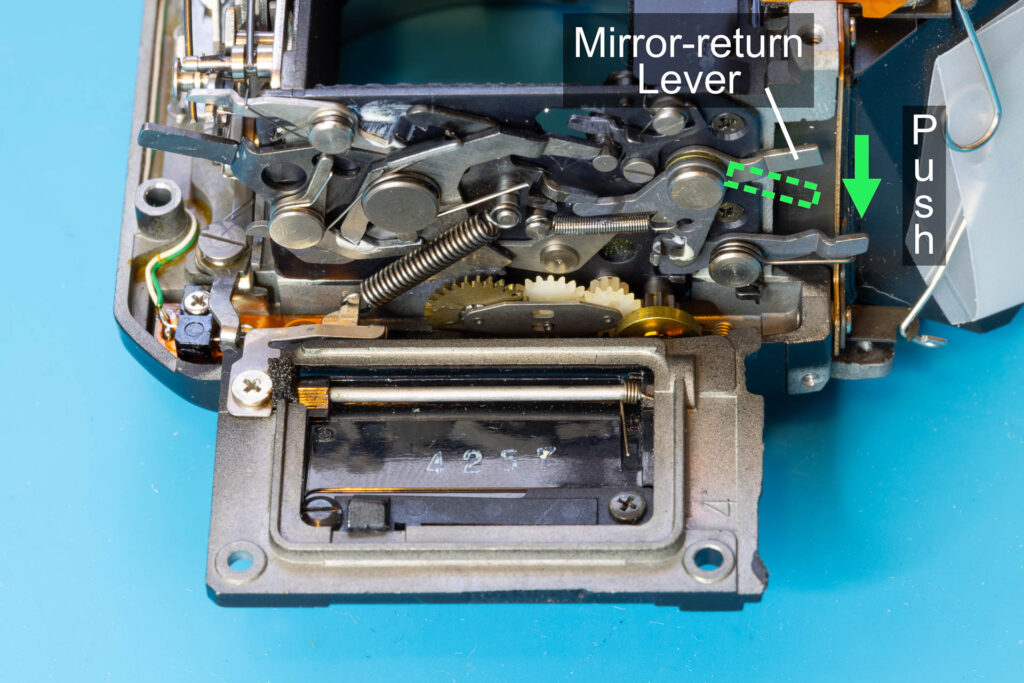
Push the mirror-return lever of the mirror-control unit towards the front of the mirror box to flip down the mirror. The mirror will be locked in its initial position.
Step 5: Reinstall the Mirror Box and the Top Cover
Follow the procedure described in this blog post to install the mirror box. Then, follow the procedure described in this blog post in reverse order to install the top cover.
That’s all.